Create Professional YouTube Thumbnails in Canva — Even If You Have ZERO Design Experience
Stop struggling with boring thumbnails or paying a designer for every video. Learn a simple Canva-based process to create attractive, attention-grabbing thumbnails yourself.
Instant Digital Access • Beginner Friendly • Learn at Your Own Pace
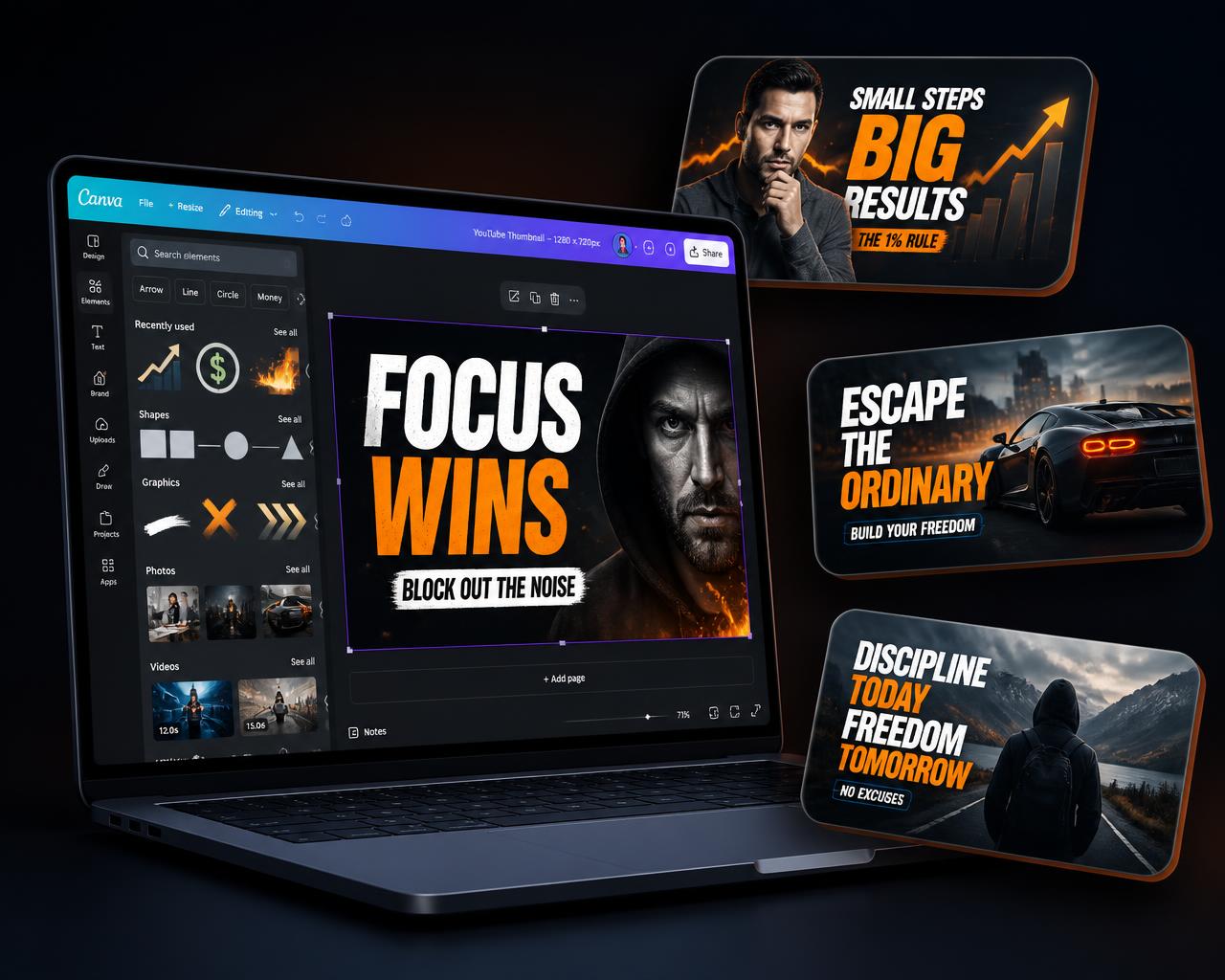
Is Your Thumbnail Killing the First Impression?
Your thumbnails look amateur
You don't know where to place text and images
Photoshop feels too complicated
You depend on someone else for every thumbnail
You spend too much time creating thumbnails
Your video may be great, but before someone watches it, your thumbnail has one job — make them stop scrolling and pay attention.
Imagine Creating Your Own Professional Thumbnails in Canva
Before
- Random fonts
- Poor image placement
- Weak contrast
- Cluttered design
- Amateur appearance
After
- Clean layout
- Strong visual hierarchy
- Better text placement
- Attention-grabbing composition
- Professional appearance
With Canva Thumbnail Mastery, you'll learn a repeatable process instead of randomly designing thumbnails.
Inside Canva Thumbnail Mastery
Thumbnail Design Fundamentals
Learn the basic principles behind an effective thumbnail.
Canva From Zero
Understand the essential Canva tools needed to create thumbnails.
Thumbnail Layout & Composition
Learn how to arrange images, text and elements professionally.
Fonts, Colors & Contrast
Learn how to make thumbnail text readable and visually powerful.
Images, Backgrounds & Effects
Learn how to use images, backgrounds and effects without making the design messy.
Creating Attention-Grabbing Thumbnails
Learn practical techniques to make thumbnails visually stand out.
Real Thumbnail Creation
Follow the complete process of creating thumbnails start to finish.
Create Your Own Thumbnail System
Build a repeatable process so you can create future thumbnails faster.
This Training Is Perfect For You If...
YouTubers
Create your own thumbnails instead of depending on a designer.
Content Creators
Make professional covers and thumbnails for your content.
Beginners
No previous graphic design experience required.
Freelancers
Learn a skill you can potentially offer as a service.
New Creators
Build a professional visual identity from the beginning.
Not recommended if you are already an advanced professional graphic designer.
Join Today & Get These Bonuses
50 Thumbnail Ideas Swipe File
Value: ₹499
25 High-Converting Thumbnail Headline Ideas
Value: ₹499
Canva Thumbnail Template Pack
Value: ₹999
Thumbnail Design Checklist
Value: ₹299
Total Bonus Value: ₹2,296
Everything You Need To Start Creating Better Thumbnails
- Canva Thumbnail Mastery₹1,999
- 50 Thumbnail Ideas Swipe File₹499
- 25 Thumbnail Headline Ideas₹499
- Canva Thumbnail Template Pack₹999
- Thumbnail Design Checklist₹299
Today
JUST ₹297
Start Creating Better Thumbnails In 3 Simple Steps
Get Instant Access
Complete your purchase and get access to the training.
Learn The Process
Follow the step-by-step Canva thumbnail training.
Create Your Own
Apply what you learn and create thumbnails for your videos.
Try It Risk-Free
7-Day Money-Back Guarantee
Go through the training and decide if it's right for you. If it doesn't meet your expectations, you can request a refund within 7 days according to the refund policy.
Creators Are Learning To Design Better Thumbnails
Placeholder content — to be replaced with genuine customer testimonials.
"[Placeholder testimonial 1 — replace with a real customer quote]"
[Customer name]
"[Placeholder testimonial 2 — replace with a real customer quote]"
[Customer name]
"[Placeholder testimonial 3 — replace with a real customer quote]"
[Customer name]
Frequently Asked Questions
Stop Struggling With Thumbnails.
Learn a simple Canva-based process and start creating professional thumbnails yourself.
Canva Thumbnail Mastery
₹297
🔒 Secure Payment • ⚡ Instant Access • ✅ 7-Day Guarantee
Get Canva Thumbnail Mastery — ₹297